
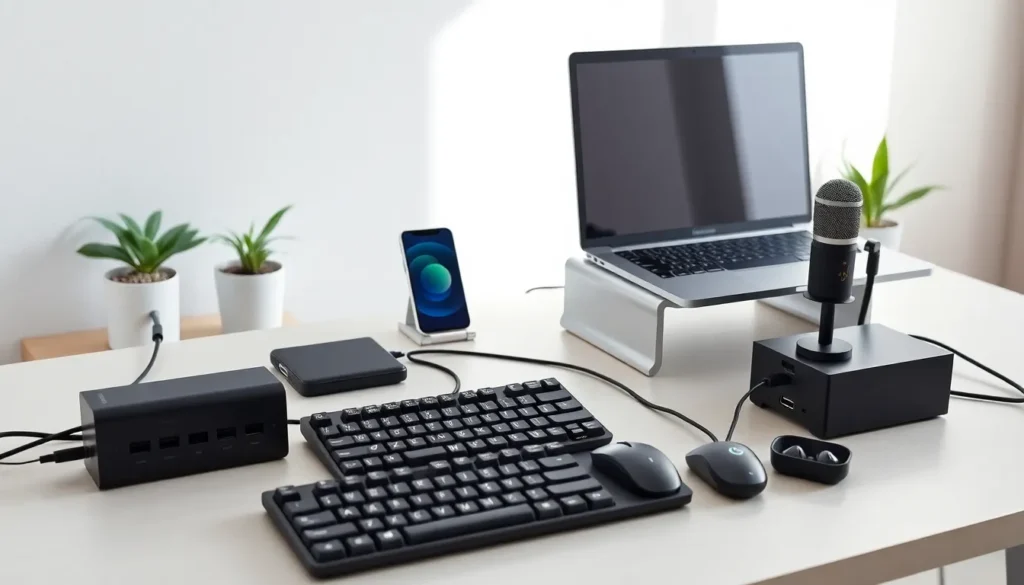

Tech accessories tools have become essential for anyone who relies on devices daily. From charging solutions to audio gear, the right accessories transform how people work, communicate, and stay organized. The average person now owns multiple connected devices, and keeping them powered, protected, and functional requires smart investments in supporting equipment.
This guide covers the most valuable tech accessories tools available today. Readers will discover which products deliver real value and how to select gear that matches their specific needs. Whether someone works from home, travels frequently, or simply wants a cleaner desk setup, these recommendations provide practical solutions.
Table of Contents
ToggleKey Takeaways
- Tech accessories tools like multi-port chargers, USB hubs, and wireless earbuds are essential for keeping your devices powered, connected, and functional.
- GaN multi-port chargers and 20,000mAh power banks with fast charging solve most power needs for laptops, phones, and tablets.
- Ergonomic peripherals such as mechanical keyboards and vertical mice reduce strain and boost productivity during long work sessions.
- Cable management tools—including clips, sleeves, and under-desk trays—eliminate clutter and create a professional workspace.
- External webcams and USB microphones dramatically improve video call quality compared to built-in laptop hardware.
- Choose tech accessories tools based on your actual pain points and always verify device compatibility before purchasing.
Must-Have Charging and Power Accessories
Power accessories form the foundation of any tech setup. Without reliable charging solutions, even the best devices become expensive paperweights.
Multi-Port USB Chargers
A quality multi-port charger eliminates outlet clutter. Modern versions with GaN (gallium nitride) technology deliver more power in smaller packages. Look for chargers offering at least 65W output to handle laptops alongside phones and tablets.
Portable Power Banks
Power banks remain critical for mobile users. Capacity matters, but so does charging speed. A 20,000mAh bank with 30W fast charging can fully restore a smartphone three to four times. Some models now include built-in cables, which saves carrying extra cords.
Wireless Charging Pads and Stands
Wireless chargers add convenience to daily routines. Qi-certified pads work with most modern phones. Stands allow users to view notifications while charging, making them ideal for desks and nightstands. MagSafe-compatible options provide stronger alignment for iPhone users.
Smart Power Strips
Smart power strips combine surge protection with remote control features. Users can schedule outlets, monitor energy usage, and cut power to devices remotely. These tech accessories tools prevent vampire drain from electronics left on standby.
Productivity-Boosting Computer Peripherals
The right peripherals can dramatically improve work output. Small upgrades often create the biggest differences in comfort and speed.
Mechanical Keyboards
Mechanical keyboards offer better tactile feedback than membrane alternatives. They last longer too, often surviving 50 million keystrokes versus 5 million for standard keyboards. Different switch types suit different preferences. Linear switches work well for gaming, while tactile switches help typists.
Ergonomic Mice
A good mouse reduces wrist strain during long work sessions. Vertical mice position the hand naturally and prevent repetitive stress injuries. Programmable buttons speed up common tasks. Wireless models with low-latency connections now match wired performance.
Monitor Stands and Laptop Risers
Proper screen height prevents neck pain. Monitor stands raise displays to eye level and often include storage underneath. Laptop risers serve the same purpose while improving airflow for cooler operation. Adjustable models accommodate different desk setups and user heights.
USB Hubs and Docking Stations
Modern laptops sacrifice ports for thin designs. USB-C hubs restore connectivity by adding HDMI, USB-A, SD card slots, and Ethernet. Docking stations take this further with support for multiple monitors and power delivery. These tech accessories tools turn thin laptops into full desktop workstations.
Smart Organization and Cable Management Tools
Cable chaos creates visual clutter and practical problems. Tangled cords waste time and can damage connectors.
Cable Clips and Holders
Adhesive cable clips keep cords routed neatly along desk edges. Weighted cable anchors prevent chargers from sliding to the floor. Magnetic holders allow quick attachment and removal. A few dollars spent here transforms a messy workspace.
Cable Sleeves and Boxes
Cable sleeves bundle multiple wires into single, clean runs. Cable management boxes hide power strips and excess cord length. These simple tech accessories tools make setups look professional while protecting cables from pets and foot traffic.
Velcro Ties and Cord Wraps
Reusable Velcro ties beat zip ties for organization. They adjust easily when adding or removing cables. Silicone cord wraps keep earbuds and charging cables tidy in bags. Both options cost little but solve daily frustrations.
Desk Grommets and Under-Desk Trays
Desk grommets route cables through the surface cleanly. Under-desk trays mount power strips and surge protectors out of sight. Together, they create a floating desk aesthetic with no visible wires touching the floor.
Audio and Communication Gear
Clear audio matters for calls, music, and content creation. Quality gear makes virtual meetings more professional and entertainment more enjoyable.
Wireless Earbuds and Headphones
Wireless earbuds have become everyday essentials. Active noise cancellation blocks distractions in noisy environments. Transparency modes let users hear their surroundings when needed. Battery life varies widely, budget options last 4-5 hours while premium models exceed 8 hours.
USB Microphones
Built-in laptop microphones produce thin, echoey sound. USB microphones dramatically improve voice quality for calls and recordings. Cardioid pickup patterns focus on the speaker and reject background noise. Many podcasters and streamers start with affordable USB mics before upgrading.
Webcams
Laptop cameras typically capture 720p video at best. External webcams record in 1080p or 4K with better low-light performance. Auto-framing features keep speakers centered during movement. These tech accessories tools make a strong impression in video interviews and client calls.
Speakerphones
For home office or conference room use, dedicated speakerphones outperform laptop speakers. They pick up voices from across the room and project audio clearly. Echo cancellation prevents awkward feedback loops during group calls.
How to Choose the Right Tech Accessories for Your Needs
Selecting tech accessories tools requires honest assessment of actual needs. Expensive gear wastes money if it solves problems someone doesn’t have.
Identify Pain Points First
Start by listing daily frustrations with current setups. Does the phone die before evening? Get a power bank. Do wrists ache after work? Consider ergonomic peripherals. This approach prevents impulse purchases that end up in drawers.
Check Compatibility
Not all accessories work with all devices. USB-C and USB-A ports differ. MagSafe chargers only benefit certain iPhones. Thunderbolt docks require Thunderbolt-capable computers. Verify compatibility before purchasing to avoid returns.
Read Reviews for Real-World Performance
Manufacturer claims often exaggerate. Third-party reviews reveal actual battery life, build quality, and durability. Look for reviews from users with similar use cases. A gaming headset review may not apply to someone who needs an office headset.
Consider Build Quality Over Features
A well-built basic product outlasts a feature-packed cheap one. Metal construction, quality connectors, and known brands typically indicate durability. Tech accessories tools get handled daily, so they need to withstand regular use.
Set a Realistic Budget
Middle-tier products often provide the best value. Budget options may fail quickly, while premium products include features many users never touch. Spending moderately on quality basics creates a reliable setup without overspending.


